Immersion Displays: Seeing the Apex
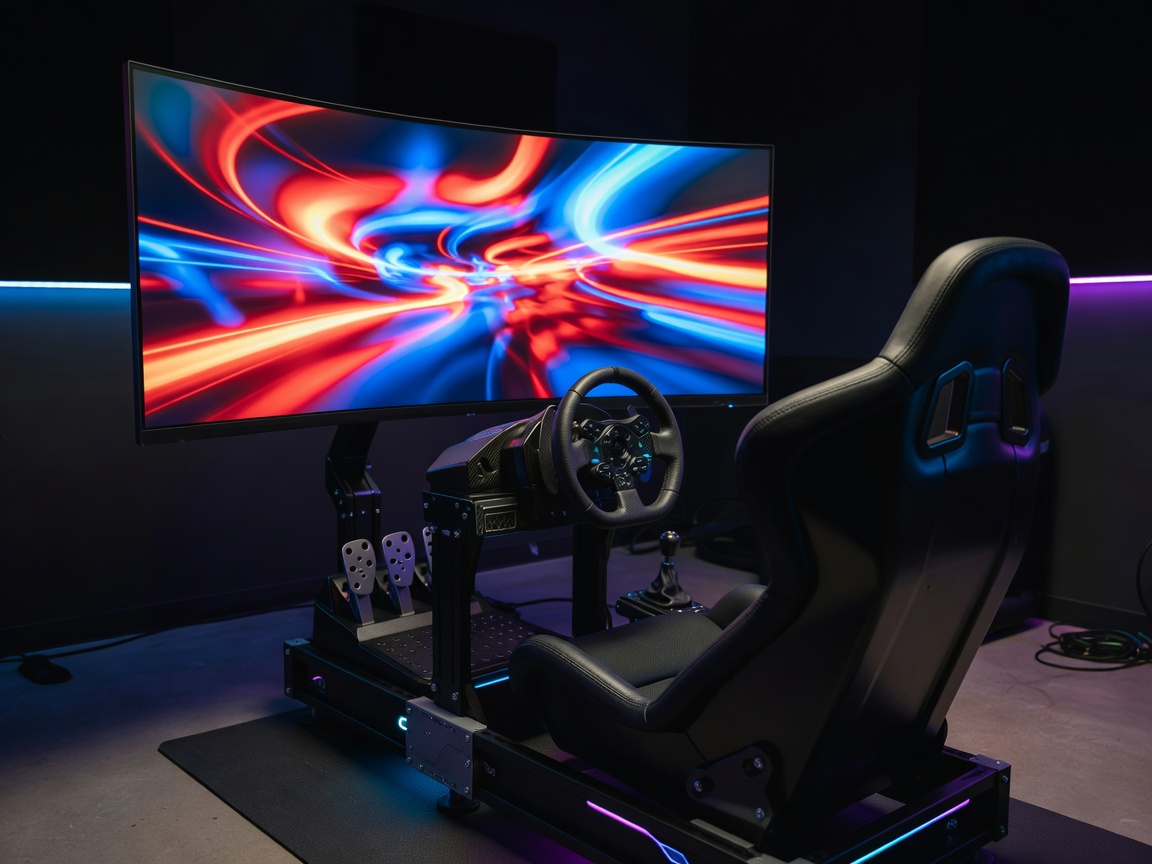
Force feedback communicates the behavior of the car, but vision communicates the geometry of the track. In sim racing, an inadequate display setup compromises depth perception, sense of speed, and spatial awareness—making it incredibly difficult to navigate tight chicanes or engage in close side-by-side racing. Achieving the correct Field of View (FOV) is a mathematical necessity, and the hardware you choose directly impacts how effectively you can render that view.
The Mathematics of Field of View (FOV)
Unlike standard desktop gaming where players prefer an artificially wide angle to see more of the environment, sim racing demands a mathematically correct FOV. The in-game camera must render the track exactly at the scale your eyes would perceive it in reality, based on the physical size of your monitor and its distance from your face. If the FOV is incorrectly set, corners will appear tighter or wider than they are, ruining your braking markers and apex precision.
Display Configurations Compared
Racers generally choose between three primary display architectures, each with distinct advantages, graphical requirements, and spatial footprints.
1. The Super Ultrawide (32:9 Aspect Ratio)
A single, heavily curved monitor (typically 49 inches measured diagonally) spanning the width of the rig. This setup is rapidly gaining popularity due to its simplicity.
- Pros: Zero bezels interrupting the image, straightforward to mount, requires only one display cable, and demands slightly less graphical horsepower than triple screens.
- Cons: Lacks the extreme horizontal wrapping effect of triples. The driver cannot simply "look left" out the side window to check their mirrors; the FOV generally cuts off at the A-pillars.
2. Triple Monitors
The traditional standard for high-end immersion. Three separate flat or slightly curved monitors (usually 27 to 32 inches each) arranged with the side screens angled aggressively inward toward the driver.
- Pros: Provides an enormous horizontal FOV (often nearing 180 degrees). This allows the driver to physically turn their head to look out the side windows, crucial for wheel-to-wheel combat and navigating extreme hairpins.
- Cons: Visually interrupted by monitor bezels (though bezel-hiding optical kits exist). Incredibly demanding on PC graphics cards to push high frame rates across millions of pixels. Requires complex and perfectly aligned mounting hardware.
3. Virtual Reality (VR)
A completely enclosed headset rendering the simulation in stereoscopic 3D directly to the user's eyes, tracking head movement in real-time.
- Pros: Unparalleled, true-to-life 1:1 depth perception. The ability to naturally look precisely toward the apex of a corner. Consumes the least physical space in a room.
- Cons: Can cause motion sickness in unacclimated users. Isolates the driver from the physical world, making it difficult to find buttons on the steering wheel or interact with a physical keyboard. Endurance races can become thermally uncomfortable inside the headset.
Refresh Rates and Resolution
Regardless of the configuration, refresh rates heavily influence driving ability. A higher refresh rate (measured in Hertz, Hz) means the screen updates more frequently. At high virtual speeds, a 60Hz display can make the track scenery blur, while a 144Hz or higher display maintains crisp lines, allowing the eye to lock onto specific distance markers seamlessly. Similarly, maintaining a low pixel response time prevents ghosting artifacts trailing behind rapidly moving objects.
Conclusion
Selecting a display solution is a balancing act between immersion, budget, physical space, and PC processing power. While VR offers the ultimate geometric realism, its isolation drives many to prefer the robust spatial awareness of triple screens. Conversely, the elegant simplicity of a single curved ultrawide strikes a perfect middle ground for many enthusiasts. Whichever path is chosen, mounting the display as physically close to the steering wheelbase as possible is the universal rule for maximizing available Field of View.